Teardown video shows the jelly scrolling effect on the iPad mini 6 vs other iPads
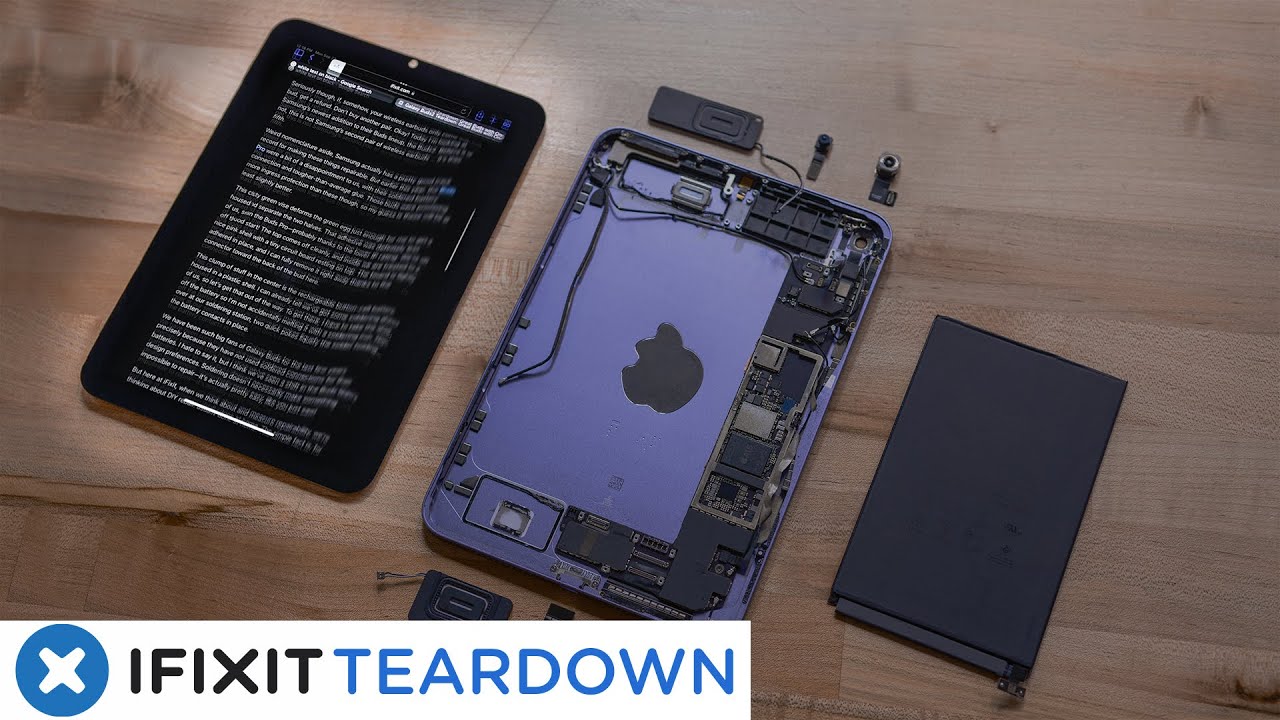

And while Apple has addressed this issue in a statement, calling it a ‘feature’, rather than a defect, YouTube channel iFixit has now shed some light on what’s causing the unpleasant display experience.
Just like reports state, the problem is almost non-existent on the other tablets. Apple already said that this problem is normal for LCD panels, but it didn’t explain why it is more pronounced on the new iPad mini 6.

The iPad mini's jelly scrolling is concerning to some
Well, an explanation was given, though not proven by iFixit. The YouTube channel alleges that the problem has to do with the orientation of the display controllers. When the orientation of the display controllers is horizontal, rather than vertical, the problem appears when you scroll on the iPad in portrait mode. The 4th Gen iPad Air, for example, has vertically orientated display controllers, and the problem appears when you scroll in landscape mode, but in a less pronounced way.
But iFixit tested the 2021 iPad Pro too, which has vertically orientated display controllers just like the new iPad mini 6. For some reason, the jelly scrolling effect is almost non-existent on the Pro tablet. All of these tests point out that in the end, there might be a design flaw to the mini iPad’s display.


Popular stories



Latest News

Things that are NOT allowed:
To help keep our community safe and free from spam, we apply temporary limits to newly created accounts: